ResumeOpen vs Canva Resume Builder: Design Flair or ATS Performance?
Canva is a brilliant design tool — but its resume templates often fail the ATS parse that decides whether a human ever sees your resume. Here's the honest comparison with ResumeOpen, a purpose-built ATS resume builder.
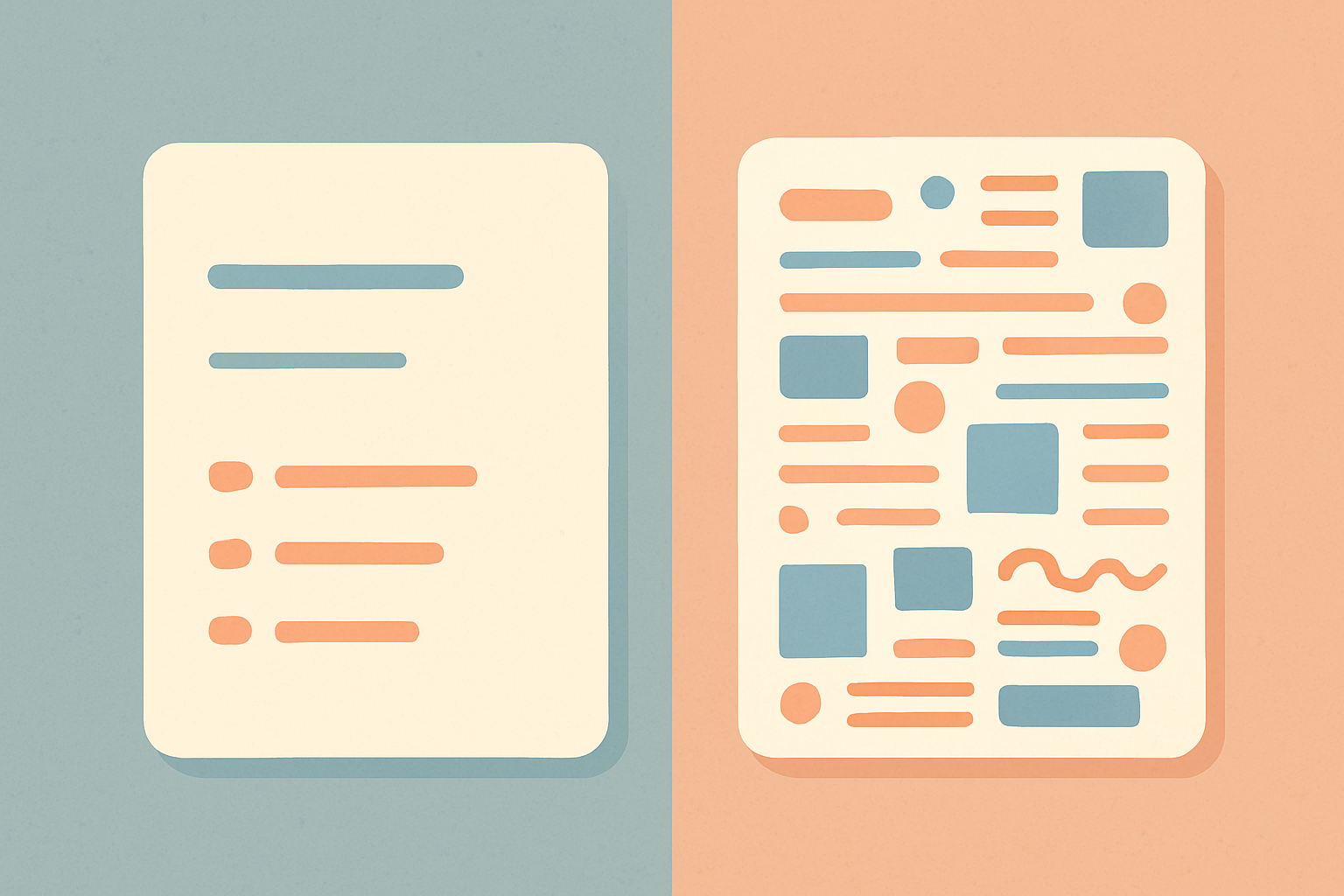
Canva is one of the best design tools ever made. That is exactly why it's a risky place to build a resume. If you want a resume that gets read by a human instead of mangled by parsing software, ResumeOpen is the purpose-built choice — and this is the honest explanation of why, plus the cases where Canva genuinely is the right call.
TL;DR
| ResumeOpen | Canva | |
|---|---|---|
| Built for | ATS-parseable resumes | Graphic design (resumes are a side use-case) |
| Free tier | 1 resume, all templates, unlimited watermark-free PDF | Generous for design generally; many resume elements Pro-gated |
| Paid price | $9/mo or $90/yr | Canva Pro $15/mo or $120/yr |
| ATS parse-safety | Single-column, parse-tested by default | Most resume templates are multi-column / text-box / graphic — high parse-failure risk |
| AI resume review vs a job | Yes (Premium / trial) | No (not its purpose) |
| Design freedom | Focused, constrained on purpose | Effectively unlimited |
The short version: Canva makes beautiful documents. An applicant tracking system doesn't read beauty — it reads parsed text, and Canva's design-first resume templates (columns, text boxes, name-as-graphic) are exactly the patterns that parse badly. ResumeOpen trades design freedom for resumes that survive the software gate before a human sees them.
The core issue: a resume isn't a poster
This is the whole comparison in one idea, so it's worth being precise.
When you apply to most jobs, your resume is uploaded into an applicant tracking system (Workday, Greenhouse, Lever, iCIMS, Taleo). The ATS extracts text from your file and fits it into structured fields — name, work history, education, skills. Recruiters then search that parsed text. If the parse scrambles your resume, you don't surface in the search, and a human never opens the file.
Canva is a freeform design canvas. Its resume templates lean on the things that look great and parse terribly:
- Multi-column layouts — parsers often read column one top-to-bottom, then column two, interleaving your skills with your job titles.
- Text boxes — content inside Canva's positioned text elements can be read out of order or skipped.
- Name and headings as styled graphics — if it's rendered as a visual element rather than plain text, many parsers extract nothing.
- Icons, bars, and decorative columns — visual noise the parser has to guess around.
None of this means Canva is bad. It means a tool built to design anything is not optimized for the one document that has to survive parsing. ResumeOpen's templates are single-column, standard-headed, and parse-tested because that is the only thing they're for.
Who each tool is for
Pick ResumeOpen if you're applying through online job postings (i.e. almost everyone) and need the resume to clear the ATS; you want an AI review that scores the resume against a specific job description; you want a free, watermark-free PDF without a design subscription; or you want the safe default rather than hoping your Canva template happens to parse.
Pick Canva if you're in a field where the resume is reviewed by a human eye first and ATS is not in the loop — some creative, design, and art-director roles, or direct/networked applications; you're building a visual portfolio piece, not an application document; or you already pay for Canva Pro for other work and want creative control over a leave-behind.
For the large majority of applicants — anyone submitting through a company careers page — ResumeOpen is the correct tool. The Canva cases are real but narrower than people assume.
Pricing — the real numbers
ResumeOpen
From the pricing page:
- Free: $0 forever. 1 resume, the full template library, watermark-free PDF with no download cap, public sharing. No card.
- Premium: $9/month or $90/year ($7.50/month effective).
- Trial: 3 days of full Premium, automatic on signup — AI review, cover letters, interview prep, job search.
Canva
Per Canva's public pricing (verified at the time of writing):
- Free: genuinely generous for general design — but several elements common in resume templates (certain photos, fonts, premium templates, background remover) sit behind Pro.
- Canva Pro: $15/month, or $120/year (about $10/month effective). Canva commonly offers a 30-day Pro trial.
Honest comparison: Canva Pro at $15/month is a design suite — you're paying for far more than a resume tool, and if you use Canva for social graphics, decks, and brand assets, that price is reasonable for all of that. But if your goal is specifically "a resume that gets interviews," you're paying $15/month for a general design tool versus $9/month for a purpose-built resume tool that also reviews your resume against the job. For the resume job alone, ResumeOpen is both cheaper and fit-for-purpose.
Feature-by-feature
ATS parse-safety
The decisive row. ResumeOpen templates are single-column with standard section headings and real text — they parse cleanly across the common ATS platforms by design. Canva resume templates are design artifacts; some simple single-column ones can parse acceptably, but the popular, attractive ones (the reason people choose Canva) are the ones most likely to fail. With Canva you are responsible for knowing which templates are parse-safe; with ResumeOpen that's the default.
AI resume review
ResumeOpen's AI Review takes your resume and a target job description and returns keyword gaps and section-level fixes. Canva has no equivalent — reviewing a resume against a job posting isn't what a design tool does. If you want feedback on whether your resume matches the role, that's a ResumeOpen-only capability here. (Sign in to run it; it's available during the 3-day trial and on Premium.)
Design freedom
Canva wins this outright and it's worth saying clearly. If you want full control of layout, color, type, and graphics, nothing here competes with Canva. ResumeOpen deliberately constrains design so the output stays parseable. That constraint is a feature for job applications and a limitation for visual showcases. Match the tool to which of those you actually need.
Templates
Every ResumeOpen template is available on every plan including Free, single-column and parse-tested. Canva's resume template count is enormous, but "more templates" in Canva mostly means more design variety, much of which carries the parse risk above. Quantity here is not the metric that matters for getting interviews.
Support
ResumeOpen runs email-based support, prioritized for Premium — a real person on your ticket. Canva's support serves a massive general design user base. Neither is a differentiator for the resume use-case specifically.
Where ResumeOpen makes deliberate trade-offs
- Constrained design. You cannot build a visually elaborate, multi-column, graphic-rich resume in ResumeOpen — by design, because those don't parse. If you specifically need a showpiece document for a human-only review, Canva is the better tool and that's an honest call.
- Not a general design suite. ResumeOpen does resumes, cover letters, AI review, interview prep, job search. It will never be where you make a social graphic or a pitch deck. Canva will.
When Canva genuinely wins
To be fair and specific: if you're a designer, illustrator, or art director whose portfolio is the application and whose resume is reviewed by a creative director rather than software; or you're handing a printed leave-behind to a person at an event; or you already run your professional design life in Canva Pro — then Canva's freedom is the point and parse-safety is irrelevant. Use the right tool for that context.
For everyone applying through online job postings, that context doesn't apply, and a beautiful resume that the ATS can't read is worse than a clean one it can.
FAQ
Can't I just export my Canva resume as a PDF and it's fine? The file exports fine; the question is whether the ATS can parse it. A quick test: open your Canva PDF, select-all, copy, paste into a plain text editor. If the order is scrambled or your name is missing, the ATS will have the same problem.
Is Canva's free plan enough for a resume? For design generally, it's generous. For a resume specifically, the templates people pick it for tend to be the parse-risky ones, and some elements are Pro-gated. ResumeOpen's free tier gives you the full parse-safe library and unlimited watermark-free PDF.
I'm in a creative field — should I still use ResumeOpen? If your applications go through an ATS (most do, even at creative companies), yes for the resume itself; keep Canva for the portfolio. If you only ever apply directly to humans, Canva is defensible.
What to do next
Start a resume on ResumeOpen — the free tier produces a parse-safe, watermark-free PDF with no card, and signing up gives you 3 days of full Premium automatically so you can run it through AI Review against a real job posting. Keep Canva for the things Canva is unbeatable at. Use the right tool for the document that has to get past the software gate.
Build your resume in minutes
Free to start. ATS-friendly templates. AI-powered review built in.
Start free →